Text Compare Online Free — Find Differences Between Two Texts Instantly
Free online text comparison tool. Compare two documents, find differences instantly with word, line and character level diff. No signup, 100% browser-based.
What is a Text Compare Tool?
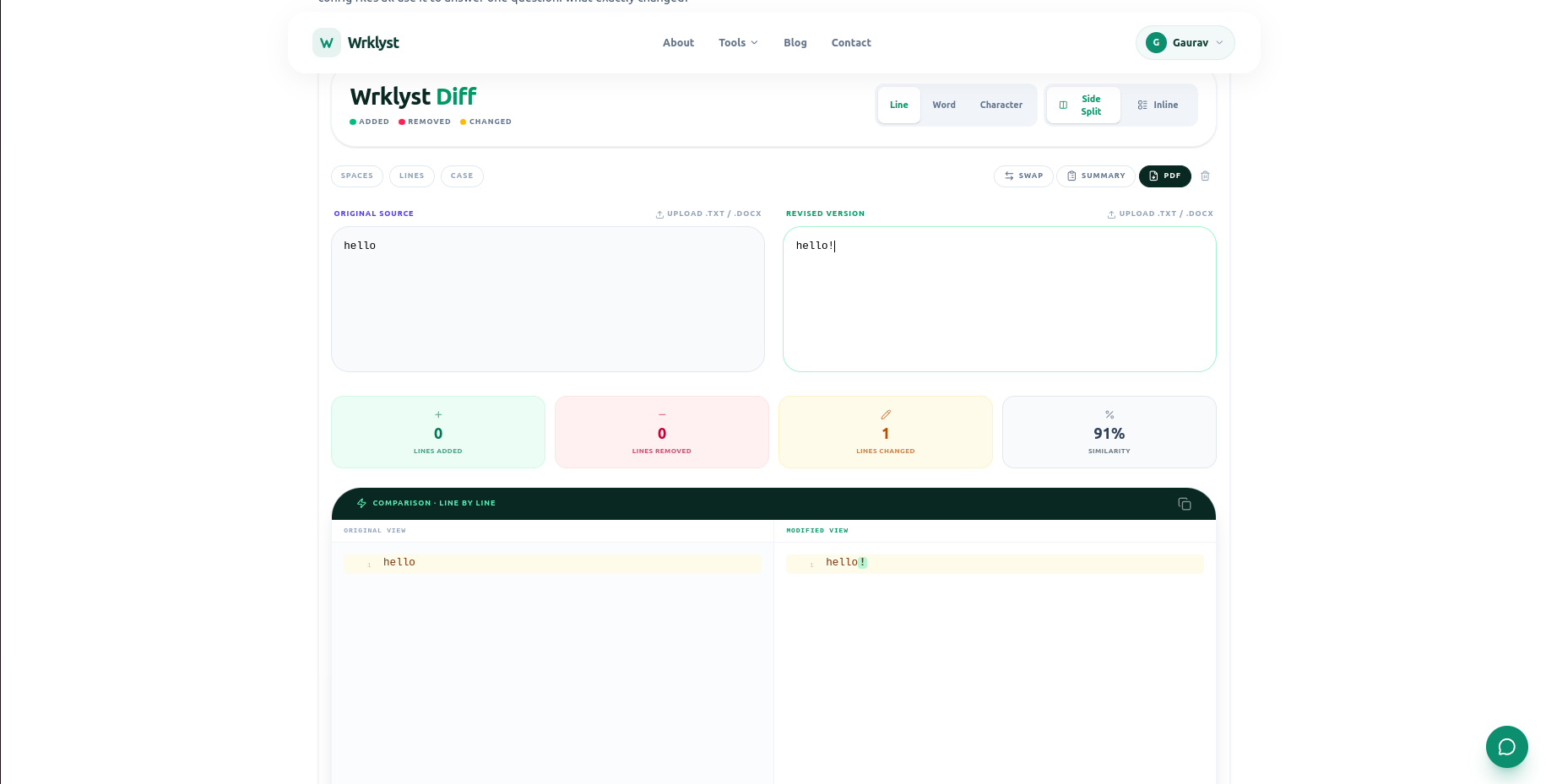
A text compare tool finds the differences between two pieces of text instantly. Paste two versions of a document, contract, essay, or code file — and every addition, deletion, and change highlights immediately. No manual scanning, no missed differences.
What Wrklyst Text Compare Can Do
Diff Modes
- Line by line diff — compare entire lines
- Word by word diff — highlight individual word changes
- Character by character diff — catch even single character changes
- Sentence diff — compare sentence by sentence
View Options
- Side by side view — original left, revised right
- Inline view — unified diff in single panel
- Show only differences — hide matching lines
- Line numbers — on both panels
- Synchronized scrolling — both panels scroll together
Difference Statistics
- Lines added and removed count
- Characters added and removed count
- Similarity percentage score
- Total differences count
Input and Output
- Paste text directly
- Upload .txt and .docx files
- Export diff as PDF
- Copy diff summary to clipboard
- Swap panels button
How to Compare Two Texts Online
- Open wrklyst.com/tools/text-compare
- Paste original text in left panel
- Paste revised text in right panel
- Differences highlight instantly
- Copy or export the result
Everything runs in your browser. Your documents never leave your device — no server processing, no data storage, completely private.
Who Uses Text Compare Tools
- Editors — review manuscript revisions and track changes between drafts
- Lawyers — spot quiet changes in returned contracts and legal documents
- Developers — compare config files, code snippets, and API responses
- Students — check revised essays against original drafts
- Teachers — detect plagiarism by comparing submitted work
- Writers — compare edited versions to preserve intended meaning
- HR teams — verify policy document updates between versions
Line Diff vs Word Diff vs Character Diff
Line diff is the fastest view — it shows which entire lines changed. Best for comparing code files, config files, and structured documents where changes happen line by line.
Word diff highlights individual words that changed within a line. Best for prose documents, contracts, and essays where the changes are scattered within sentences rather than on whole lines.
Character diff catches every single character change — a renamed variable, a changed digit, a different punctuation mark. Best for catching subtle edits that word-level comparison might miss.
Why Privacy Matters for Document Comparison
Documents being compared are often sensitive — contracts under negotiation, unpublished manuscripts, internal policy drafts, source code. Most online diff tools send your text to their servers for processing.
Wrklyst text compare runs the entire diff algorithm in your browser tab. Neither version of your document ever leaves your device. Safe for confidential contracts, proprietary code, and private correspondence.
Text Compare vs Microsoft Word Track Changes
Word Track Changes only works if both parties use Word and the original author remembered to enable tracking before editing. Wrklyst text compare works on any two pieces of text from any source — PDFs converted to text, emails, Google Docs exports, or plain text files — with no prior setup required.
Frequently Asked Questions
How do I compare two documents online for free?
Paste the original text in the left panel and the revised text in the right panel at wrklyst.com/tools/text-compare. Differences highlight instantly — no submit button, no waiting, no account needed.
Can I compare Word documents?
Yes — upload .docx files directly and the tool extracts the text for comparison. You can also copy and paste text from any Word document.
Is my text private when I compare documents?
Yes — the comparison runs entirely in your browser. Your text is never sent to any server, never stored, and never seen by anyone. Safe for contracts, source code, and confidential documents.
What is the similarity percentage?
The similarity score shows what percentage of the two texts match. 100% means identical. 0% means completely different. It gives a quick sense of how much changed before reading the detailed diff.
Can I compare more than two texts?
The tool compares two texts at a time. For multi-version comparison, compare version 1 vs 2, then version 2 vs 3 separately.
Try It Free
Compare any two texts instantly — free, private, no account required.
Last updated
July 28, 2026